---
title: 'Bayanihan UI/UX Design'
author: ['Pinn Xu', 'Mandy Chen', 'Danica Juntura', 'Junli Long']
date: 2025-12-10
description: "Redesigning Bayanihan's website in Figma focusing on navigation, accessibility, and artist engagement."
categories: [UI/UX, Figma, design]
image: "https://raw.githubusercontent.com/Pinn32/img/main/img/pic-go/20260704194910663.gif"
toc-expand: 2
aliases:
- ../bayanihan/
# order: 7
---
# Bayanihan UI/UX Design
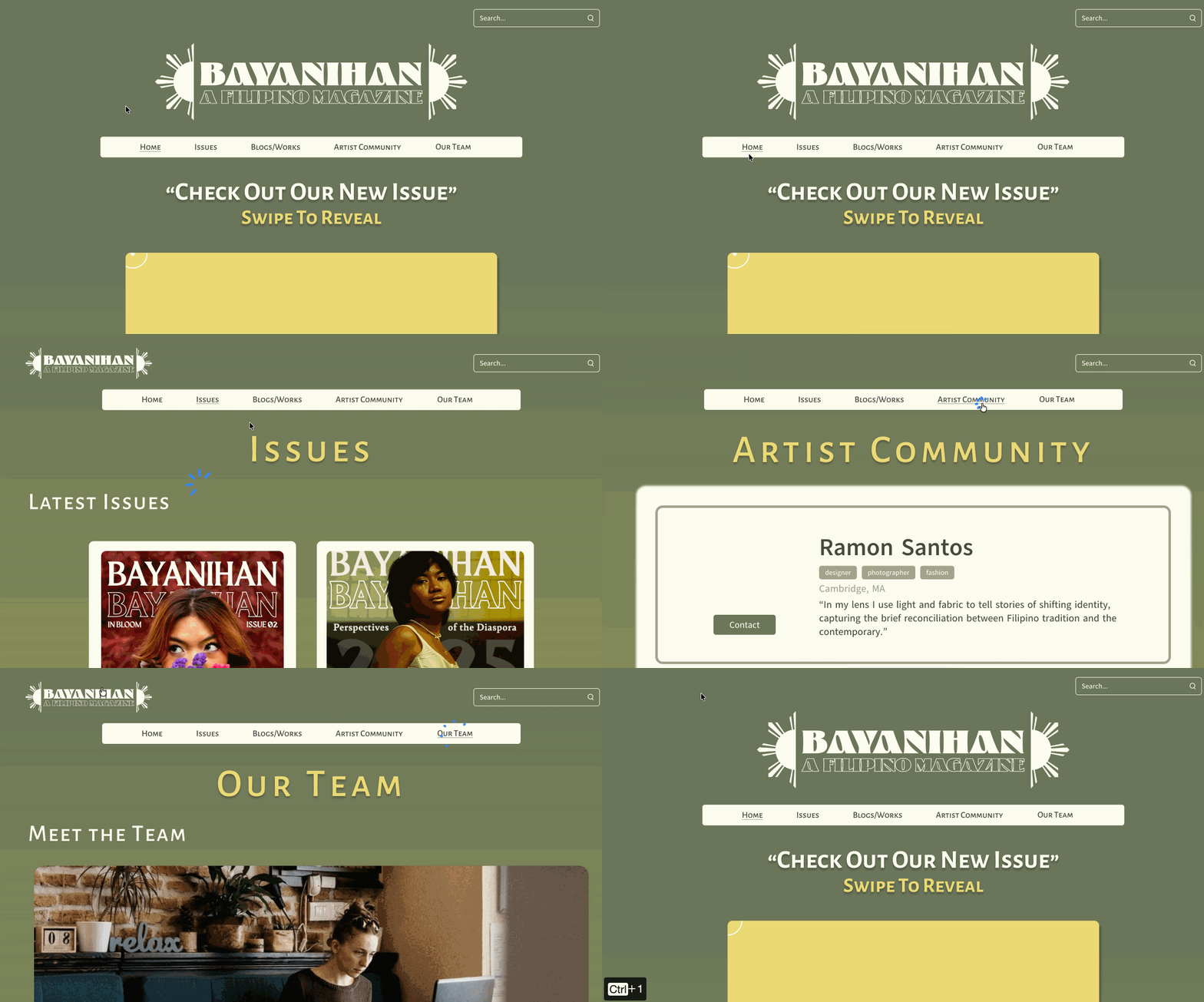
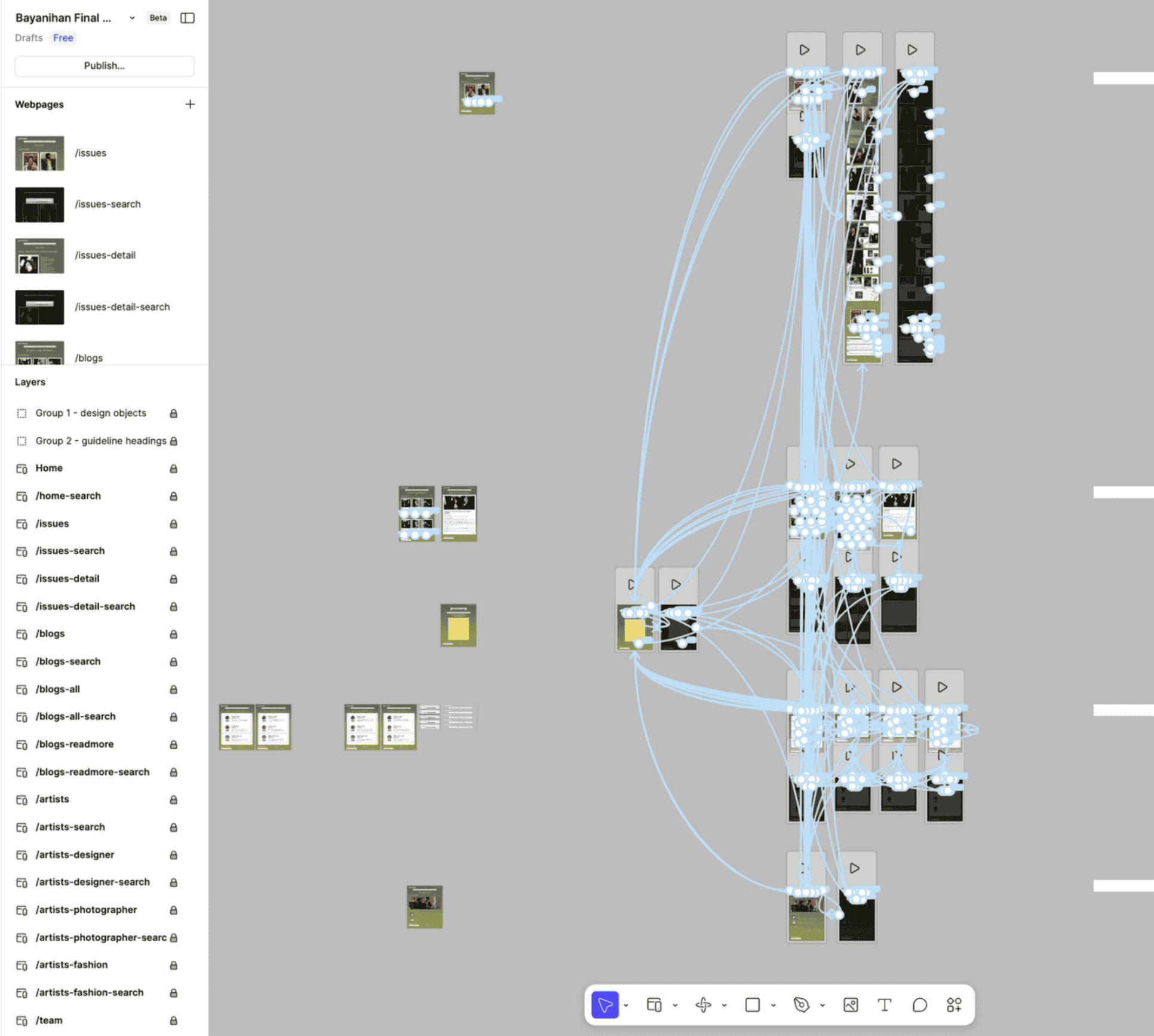
*Bayanihan* is a student-run Filipino arts and fashion magazine, affiliated with the Boston University Filipino Student Association (BUFSA). This project redesigns its website with [Figma](#fig-figma-prototype-structure), built for the course *Developing Interactivity* in fall 2025. The goal was a site that's easier to navigate on mobile, more engaging for readers, and more useful for the artists who contribute to it.
:::{style="text-align:center;"}
[View Live Prototype](https://pinn32.github.io/bayanihan/){.btn .btn-outline-primary}
:::
<!-- TODO: replace with an actual screenshot of the live prototype -->
:::{.macbook-frame style="width:35rem;"}
:::
## Design Tokens
Color variables of the UI design for Bayanihan: a sage-and-marigold color palette. Click any swatch to copy its hex value.
<!-- ===================================================================== -->
<!-- Start: Design Tokens (color tokens) -->
```{=html}
<div class="token-section">
<p><strong>Color Tokens</strong></p>
<div class="token-grid">
<color-token name="sage-green" hex="6C765B"></color-token>
<color-token name="green-light" hex="A5A58D"></color-token>
<color-token name="green-dark" hex="494B40"></color-token>
<color-token name="gradient-yellow" hex="A8AB55"></color-token>
<color-token name="yellow" hex="EDDB76"></color-token>
<color-token name="ivory" hex="FEFFF1"></color-token>
</div>
</div>
<style>
.token-section { margin: 1.5rem 0; }
.token-section > strong:first-child,
.token-section p:first-child {
display: block;
font-family: var(--pf-mono);
font-size: 0.75rem;
letter-spacing: 0.08em;
text-transform: uppercase;
color: var(--pf-text-muted);
margin-bottom: 0.6rem;
}
.token-grid {
display: flex;
flex-wrap: wrap;
align-items: stretch;
gap: 0;
border-radius: var(--pf-radius, 10px);
overflow: hidden;
border: 1px solid var(--pf-border, #e2e8f0);
box-shadow: var(--pf-shadow, 0 1px 4px rgba(0,0,0,0.06));
}
.token-grid color-token {
flex: 1 1 120px;
min-width: 120px;
}
</style>
<script>
(function () {
function luminance(hex) {
const [r, g, b] = [0, 2, 4].map(i => parseInt(hex.slice(i, i + 2), 16) / 255);
const lin = c => (c <= 0.03928 ? c / 12.92 : Math.pow((c + 0.055) / 1.055, 2.4));
return 0.2126 * lin(r) + 0.7152 * lin(g) + 0.0722 * lin(b);
}
async function copy(text, feedbackEl) {
try {
await navigator.clipboard.writeText(text);
} catch (e) {
const ta = document.createElement("textarea");
ta.value = text;
document.body.appendChild(ta);
ta.select();
document.execCommand("copy");
document.body.removeChild(ta);
}
feedbackEl.classList.add("show-copied");
clearTimeout(feedbackEl._t);
feedbackEl._t = setTimeout(() => feedbackEl.classList.remove("show-copied"), 1100);
}
const sharedStyle = `
:host { display: block; height: 100%; }
button {
all: unset;
box-sizing: border-box;
display: flex;
flex-direction: column;
width: 100%;
height: 100%;
cursor: pointer;
background: var(--pf-card, #fff);
overflow: hidden;
font-family: var(--bs-body-font-family, Inter, system-ui, sans-serif);
}
button:focus-visible { outline: 2px solid var(--pf-primary, #0d9488); outline-offset: -2px; }
.label {
flex: 1 1 auto;
display: flex;
justify-content: center;
align-items: center;
text-align: center;
padding: 0.45rem 0.65rem;
font-size: 0.78rem;
}
.name { font-weight: 600; color: var(--pf-text, #0f172a); }
.copied-badge {
position: absolute;
inset: 0;
display: flex;
align-items: center;
justify-content: center;
background: rgba(13,148,136,0.92);
color: #fff;
font-size: 0.78rem;
font-weight: 600;
font-family: var(--pf-mono);
opacity: 0;
transition: opacity 0.15s ease;
pointer-events: none;
}
.show-copied .copied-badge { opacity: 1; }
`;
class ColorToken extends HTMLElement {
connectedCallback() {
const name = this.getAttribute("name") || "";
const hex = (this.getAttribute("hex") || "000000").replace("#", "");
const textColor = luminance(hex) > 0.5 ? "#1a1a1a" : "#ffffff";
const root = this.attachShadow({ mode: "open" });
root.innerHTML = `
<style>
${sharedStyle}
.swatch {
position: relative;
flex: 0 0 auto;
height: 64px;
background: #${hex};
display: flex;
align-items: center;
justify-content: center;
font-family: var(--pf-mono);
font-size: 0.72rem;
color: ${textColor};
letter-spacing: 0.02em;
}
</style>
<button type="button" aria-label="Copy #${hex}">
<div class="swatch">#${hex}<div class="copied-badge">Copied!</div></div>
<div class="label"><span class="name">${name}</span></div>
</button>
`;
const btn = root.querySelector("button");
btn.addEventListener("click", () => copy("#" + hex, btn));
}
}
customElements.define("color-token", ColorToken);
})();
</script>
```
<!-- End: Design Tokens (color tokens) -->
<!-- ===================================================================== -->
# Design Process
```{mermaid}
%%| label: fig-design-process
%%| fig-cap: Design Process Flowchart
%%| look: handDrawn
flowchart LR
A(Research)--> B(Persona Construction) --> C(Ideation) --> D(Prototyping) --> E(Testing)
E -.-> A
```
<!-- {#fig-ux-design-process} -->
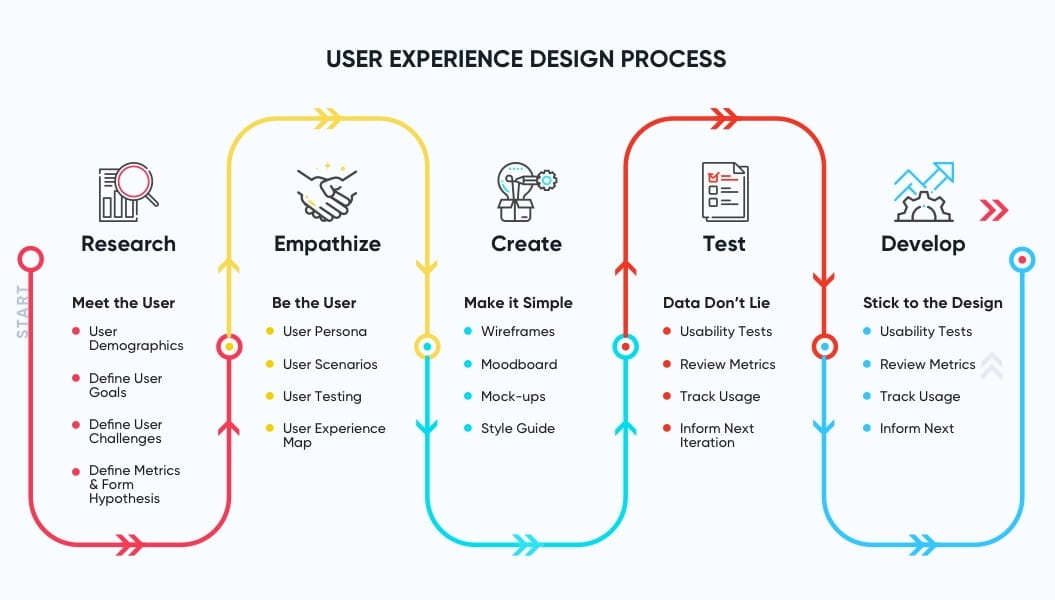
- Stakeholder interviews and competitor analysis to identify gaps in the current site
- User interviews and focus groups with readers and contributors
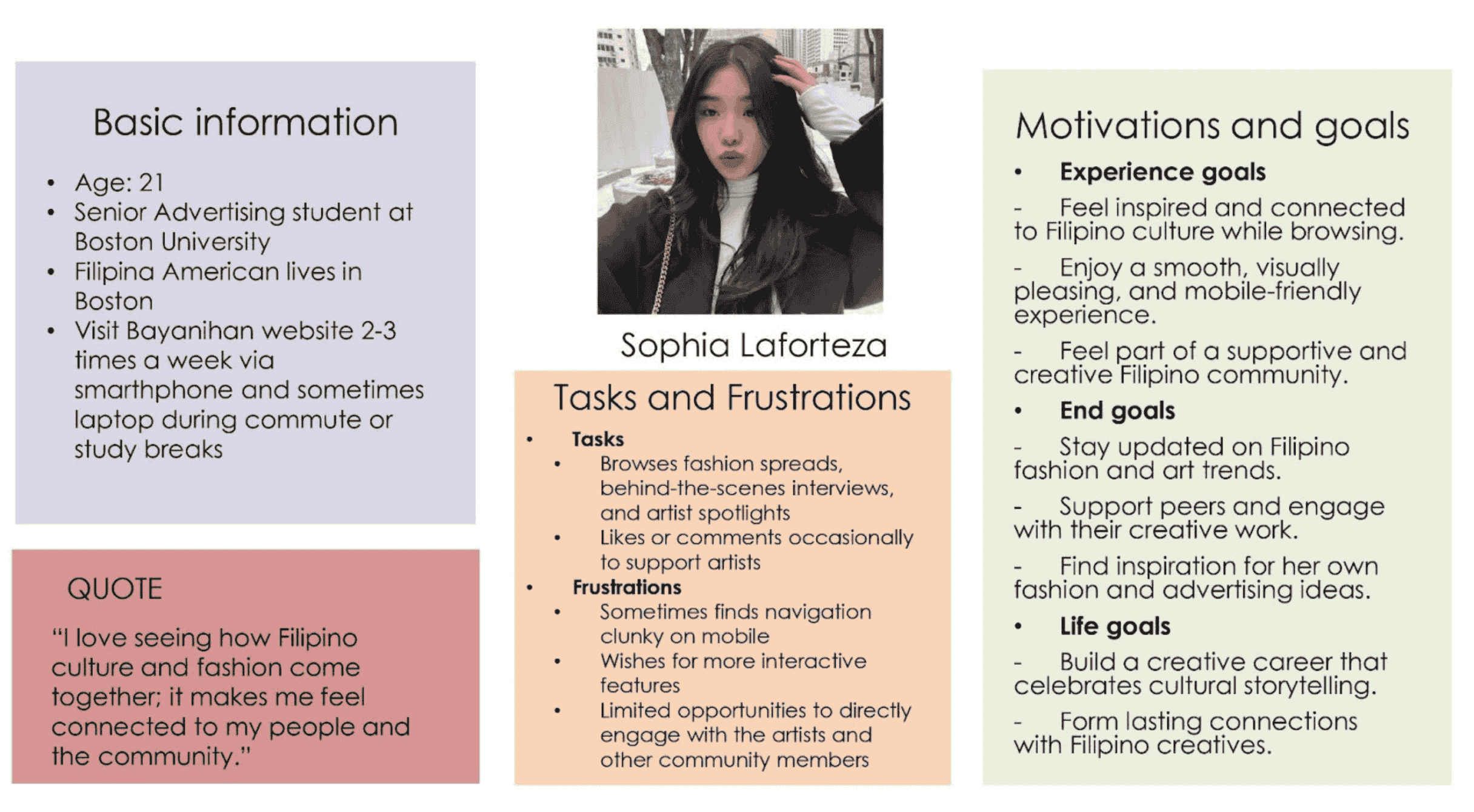
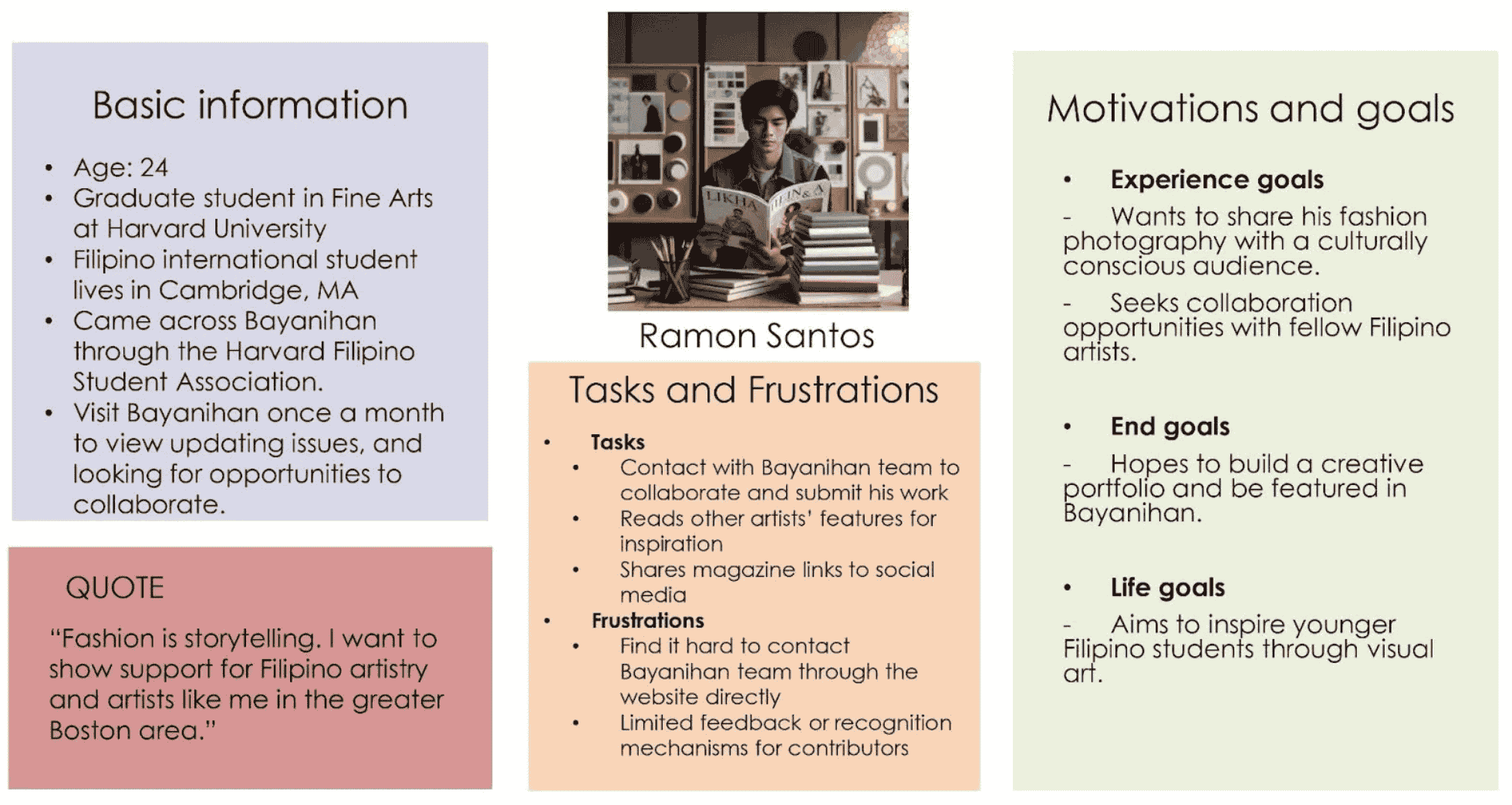
- [Two personas:](#personas) 1) Sophia, a Filipino-American undergraduate reader; and 2) Ramon, a Filipino graduate artist and contributor
- Sitemap, user flow, and low-fidelity sketches to test layout ideas early
- High-fidelity [Figma prototyping](#prototype), including color, typography, and branding
- Usability testing on the prototype, with revisions based on feedback
## Key Features
- A clear navigation bar separating issues, blogs, and community sections
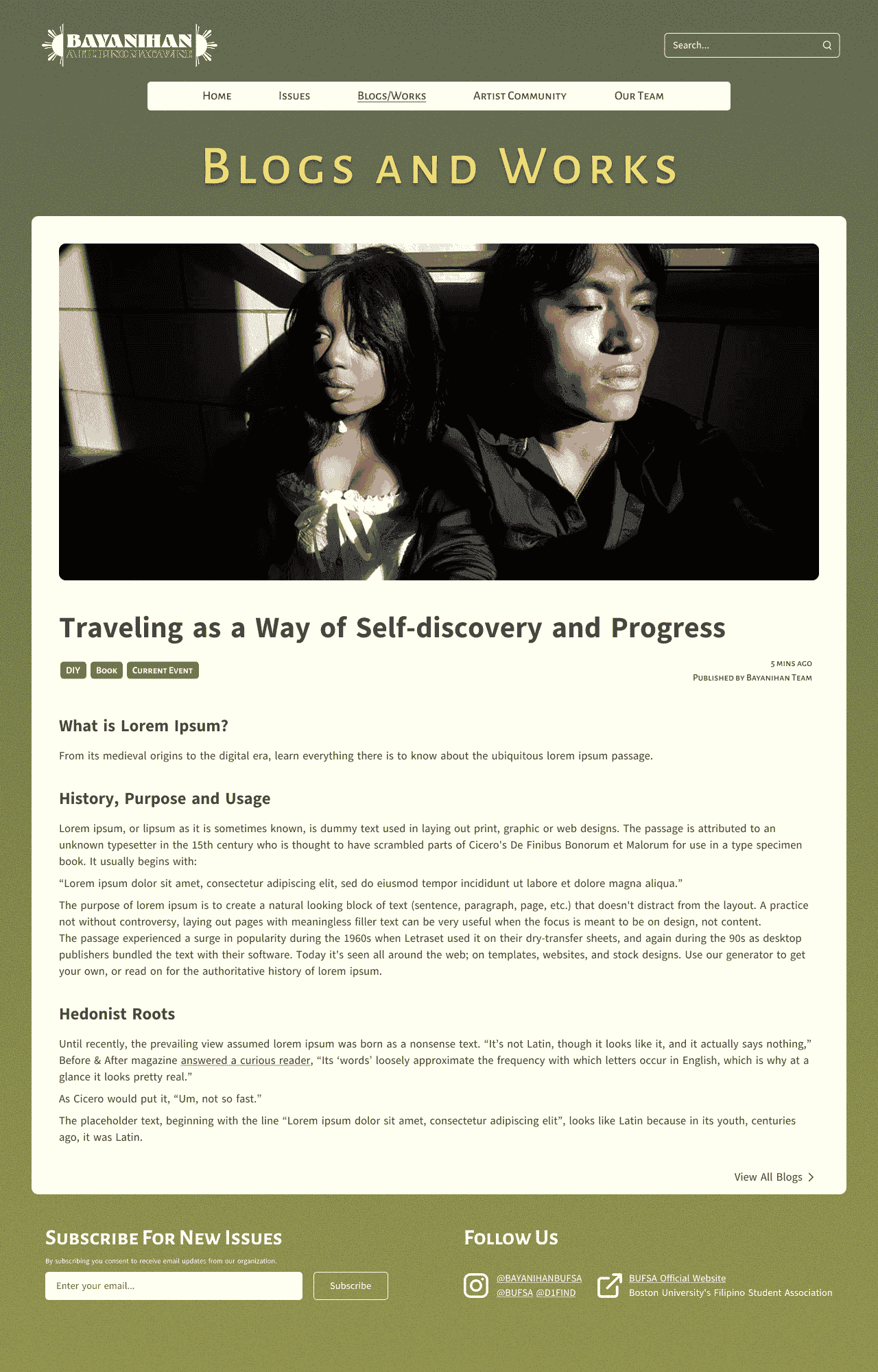
- Likes, comments, and share buttons on articles
- A homepage carousel for the newest issue
- A dedicated portal for artist contributors
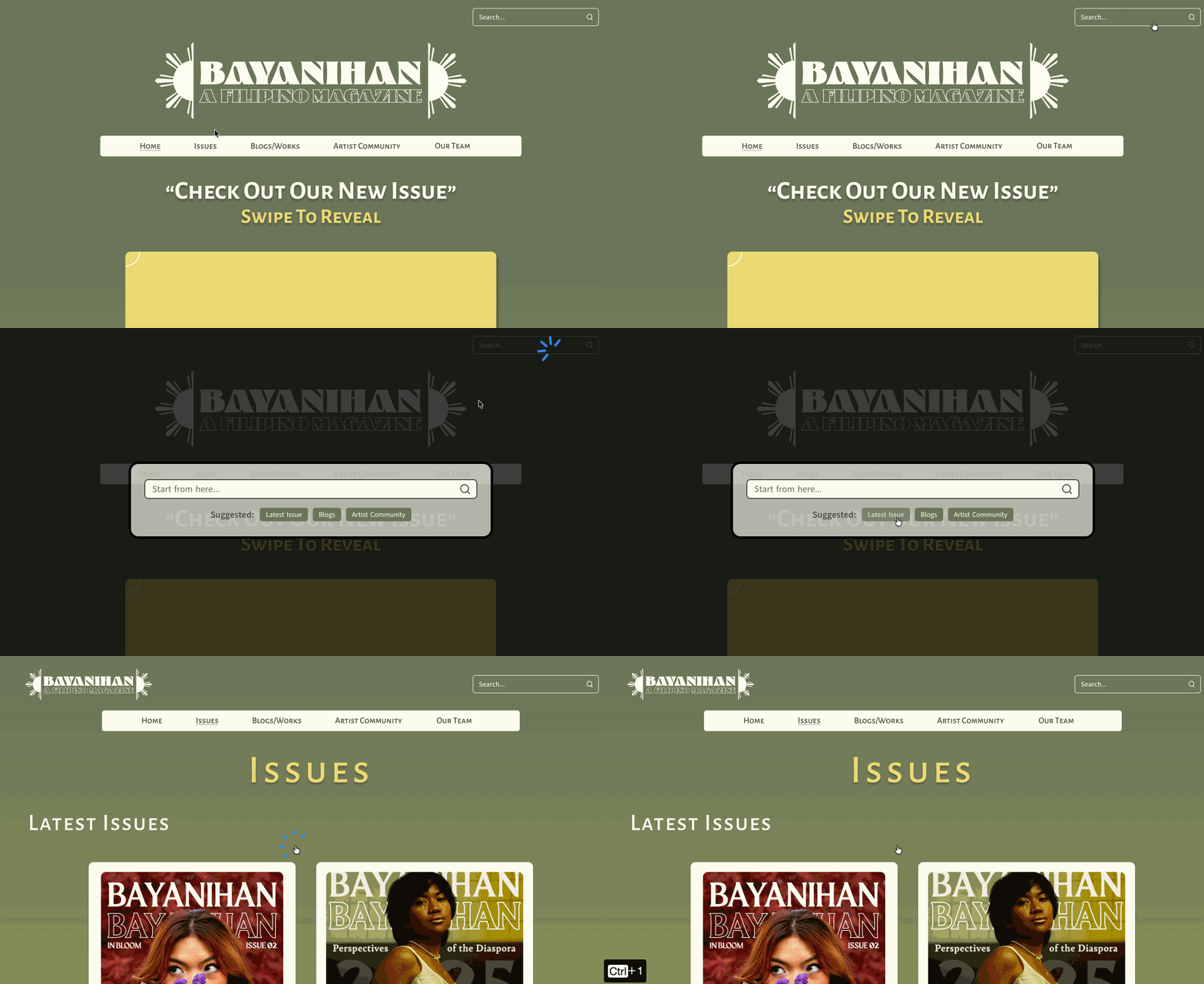
- Search with tag filters and suggestions
## Personas
{#fig-persona-sophia}
{#fig-persona-ramon}
## Prototype
The final prototype covers five pages: Home, Issues, Blogs/Works, Artists Community, and Our Team. [View Live Prototype](https://pinn32.github.io/bayanihan/)
<!-- ===================================================================== -->
:::{.macbook-frame style="width:35rem;"}
{#fig-figma-prototype-structure}
:::
:::{style="text-align:center;"}
[Figma Prototype Structure]{.caption}
:::
<!-- ===================================================================== -->
:::{.macbook-frame style="width:40rem;"}
{#fig-navigation}
:::
:::{style="text-align:center;"}
[Navigation]{.caption}
:::
<!-- ===================================================================== -->
:::{.macbook-frame style="width:40rem;"}
{#fig-site-search}
:::
:::{style="text-align:center;"}
[Site Search]{.caption}
:::
<!-- ===================================================================== -->
:::{.macbook-frame style="width:40rem;"}
{#fig-home-swiper}
:::
:::{style="text-align:center;"}
[Home Swiper Component]{.caption}
:::
<!-- ===================================================================== -->
:::{.macbook-frame style="width:35rem;"}
{#fig-article-layout}
:::
:::{style="text-align:center;"}
[Article Layout]{.caption}
:::
[>> View source on GitHub](https://github.com/Pinn32/em757-web-design-project)






