VPS SSH Login Troubleshooting
Linux
Tips
Restored SSH access after fail2ban blocked VPS login attempts caused by outdated username configuration.
1 Backgroud
Issue: SSH connection failed after changing the VPS username
- Created a temporary sudo user to change the main VPS username
- Tried connecting to VPS through new username
- Failed to notice that my snippet of VPS connection was still using the old username
- Tried connecting with an incorrect/non-existent username and password
- After multiple failed attempts, SSH access stopped working
2 Troubleshooting Process
2.1 Access VPS via Remote Console
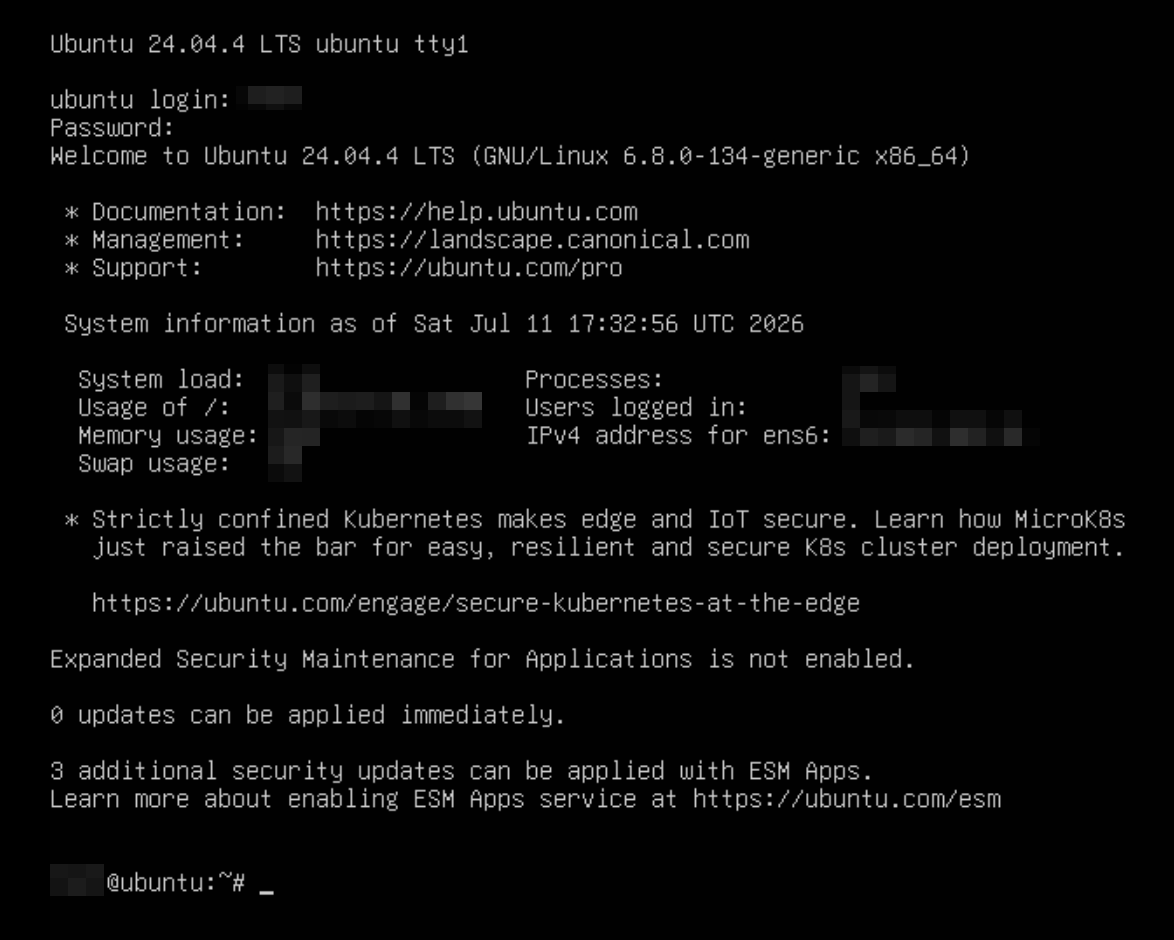
Logged into the VPS through the provider’s Remote Console and started troubleshooting locally.
2.2 Check SSH Service Status
Check SSH status:
systemctl status sshFound that the SSH service was not running.
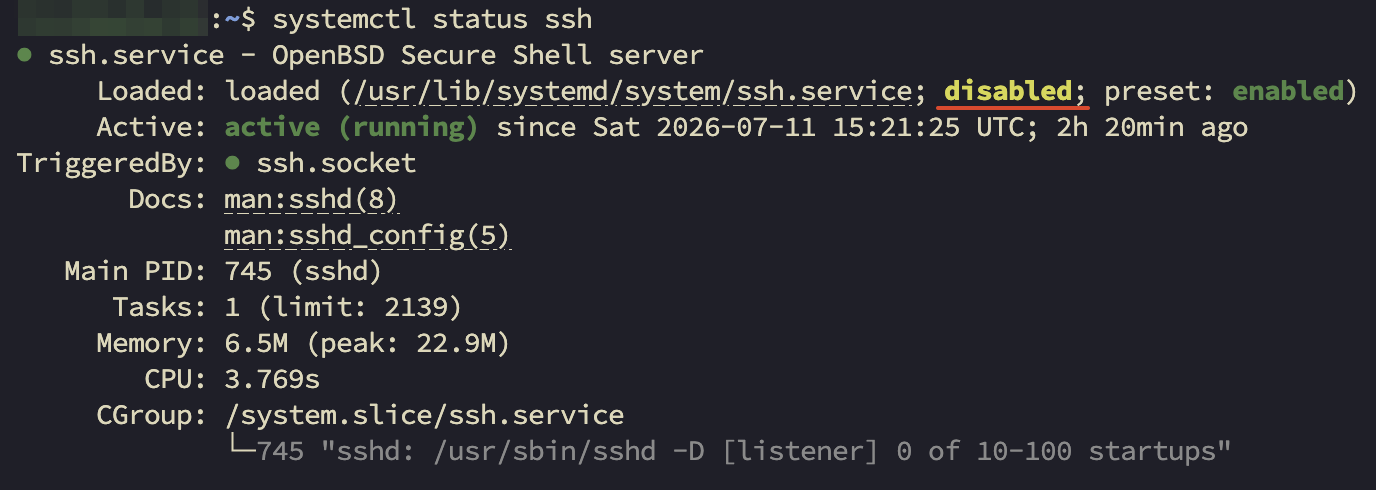
Start SSH and enable it on boot:
sudo systemctl start ssh   # start
sudo systemctl enable ssh  # enable on boot
systemctl status ssh       # check status
2.3 Check Firewall Configuration
Check UFW status:
ufw statusConfirmed that the SSH port was not blocked by UFW and ruled out firewall issues.
2.4 Check fail2ban Ban Status
Check fail2ban service:
sudo systemctl status fail2banSee my own IP locally:
curl https://api.ipify.orgOn the remote console, see whether my IP was banned:
# Check SSH jail status:
sudo fail2ban-client status sshd
# Banned IP list: <my_ip>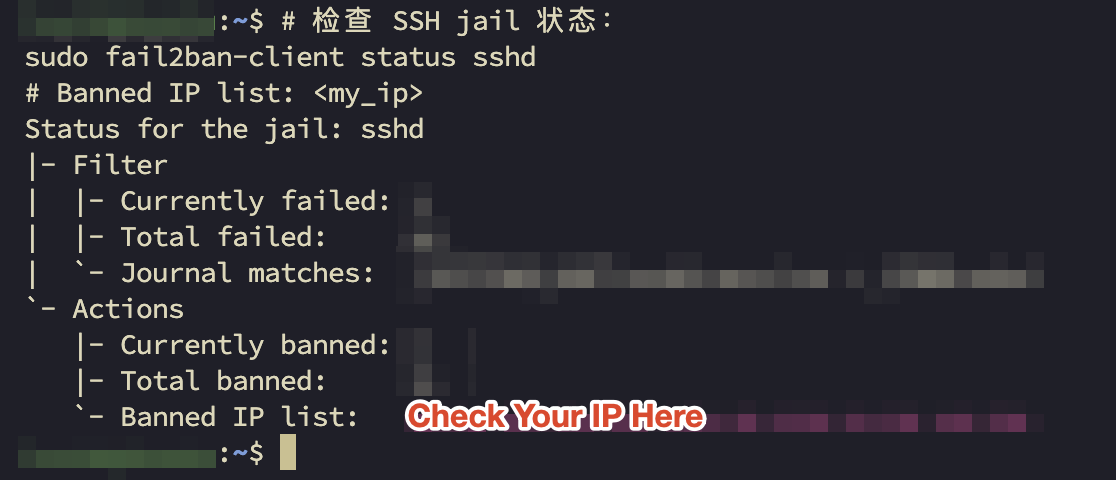
Cause:
- The SSH connection snippet still used the old username after the username change
- Multiple login attempts were made with an invalid username/password
- Failed attempts exceeded the fail2ban threshold (5 attempts)
- fail2ban automatically banned my IP (ban duration: 1 hour)
2.5 Unban My IP
Check current banned IPs:
sudo fail2ban-client status sshdRemove the IP ban:
sudo fail2ban-client set sshd unbanip <my_ip>Restart fail2ban if needed:
sudo systemctl restart fail2ban3 Final Result
- SSH service restored
- UFW confirmed not causing the issue
- Root cause identified: fail2ban blocked my IP
- SSH connection successfully restored after unbanning the IP
4 Follow-up Notes
- Update the SSH connection snippet immediately after changing usernames
- Avoid repeated login attempts with incorrect usernames/passwords in a short period
- Keep a backup sudo account before modifying SSH-related settings
- Check fail2ban status as one of the first troubleshooting steps when SSH login fails